The future of online shopping
A smarter way to try before you buy
Step into an AI-powered virtual fitting room built for e-commerce. Machine learning that personalises how a garment looks on a real body, helping brands and retailers increase customer confidence and reduce returns.
Ten garments generated free. No card, no commitment
Currently onboarding our first ten brands
We're new, and we'd rather say so. Early brands get founder pricing and their logo here, and we prove it on your own stock before you pay anything.
Add it today
One line of code, and you're live today
Paste a single script tag into the website you already have. Every product page gets a Try it on button, and your customers can see garments on their own photos this afternoon. No rebuild, no migration and no new platform.
With Aindria AI's API you can integrate AI-powered virtual try-on into e-commerce platforms, fashion apps and retail websites, with realistic draping, shadows and texture simulation. Perfect for improving the online shopping experience, reducing returns and increasing customer confidence.
<!-- paste once, anywhere before </body> -->
<script src="https://cdn.aindria.ai/widget.js" data-key="pk_live_7f2c" defer></script>
That's the whole integration. The widget finds your product images, adds the try-on button, and handles the upload dialog for you. See it running in a sample store →
const res = await fetch("https://api.aindria.ai/v1/try-on", {
  method: "POST",
  headers: {
    "Content-Type": "application/json",
    "Authorization": `Bearer ${process.env.AINDRIA_KEY}`
  },
  body: JSON.stringify({
    human:            "https://your-shop.com/u/shopper.jpg",
    garment:          "https://your-shop.com/p/rose-top.jpg",
    garment_category: "tops",
    // omit to block until the image is ready
    webhook:          "https://your-shop.com/hooks/try-on"
  })
});

const { image } = await res.json();
// -> https://cdn.aindria.ai/r/8f2c...b71.png
Rendering takes a few seconds. Pass a webhook for catalogue
batches and we'll call you back per image instead of holding the connection open.
The basics
What is AI clothes try-on?
It lets a shopper upload a photo and digitally test clothing using computer vision and garment simulation. Instead of imagining how something will look, they see realistic draping, shadows and fit before they buy.
That's a virtual fitting room, and it's what removes the uncertainty sitting between a shopper and the checkout button.
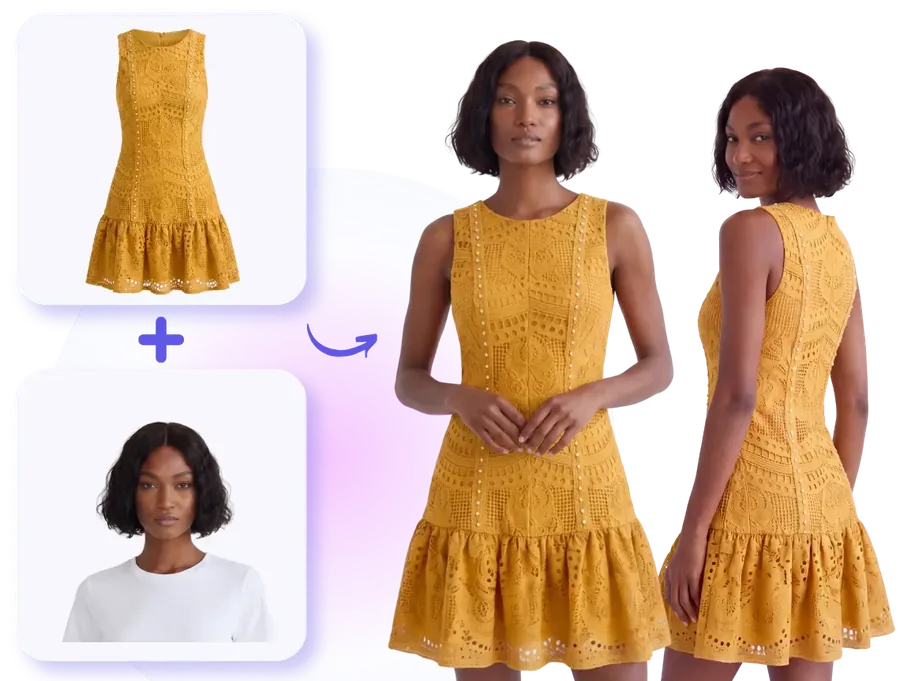
A garment photo plus a person photo, and the fitted result, front and back.
Realistic clothing visualisation
Drape, fit and texture, just like real life
Our vision-match technology renders a realistic representation of clothing, including natural wrinkles, shadows and the way fabric actually behaves on a body.
Casual wear, formal outfits or activewear: shoppers see how a garment truly fits and moves before they commit. A product page needs more than one image, so from a single flat lay we generate the front, the detail crop, the back and alternate poses, with the same model throughout.
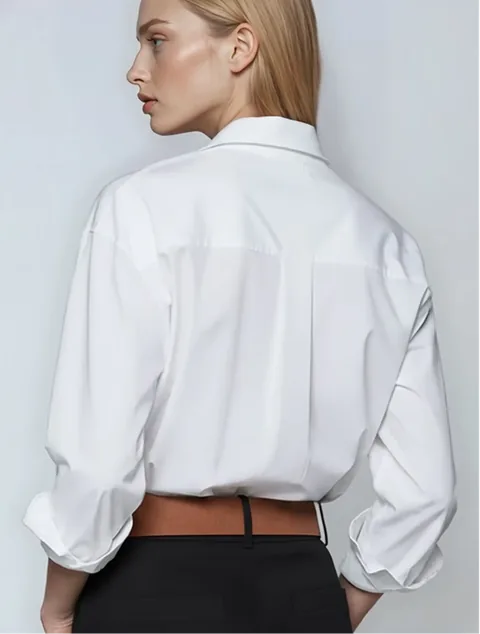
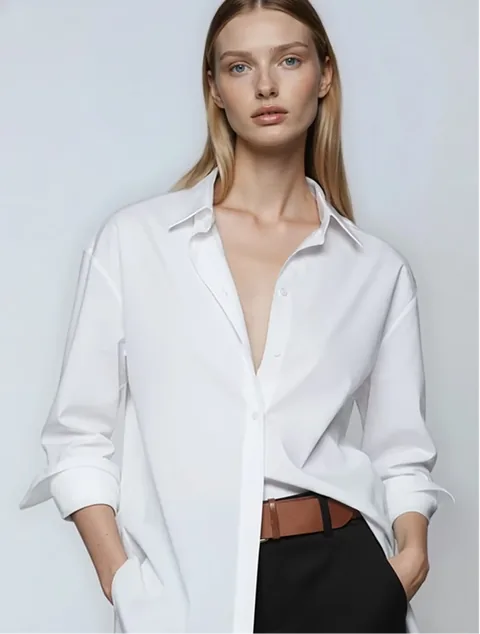
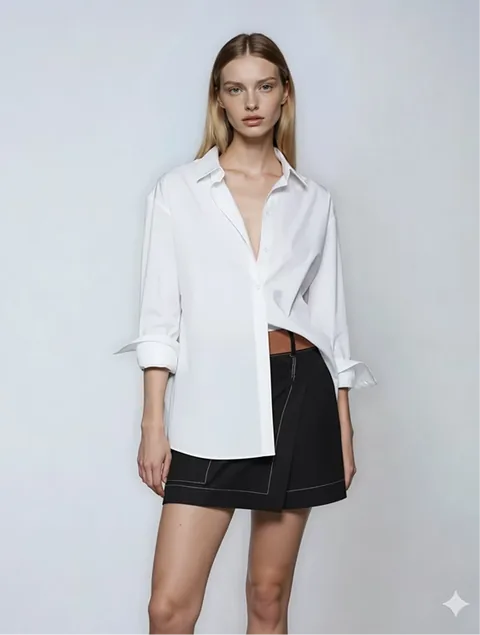
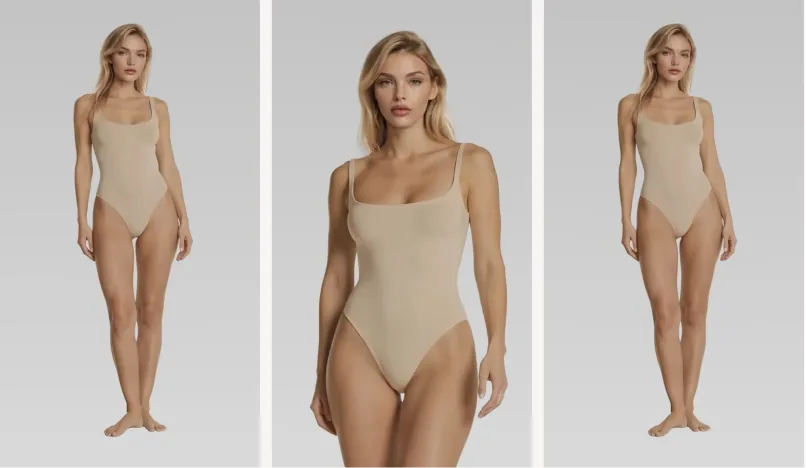
One garment photo in, a full set of angles and poses out.
How it works
Four steps, product photo to storefront
No studio booking, no model call sheet, no re-shoot when new stock lands.
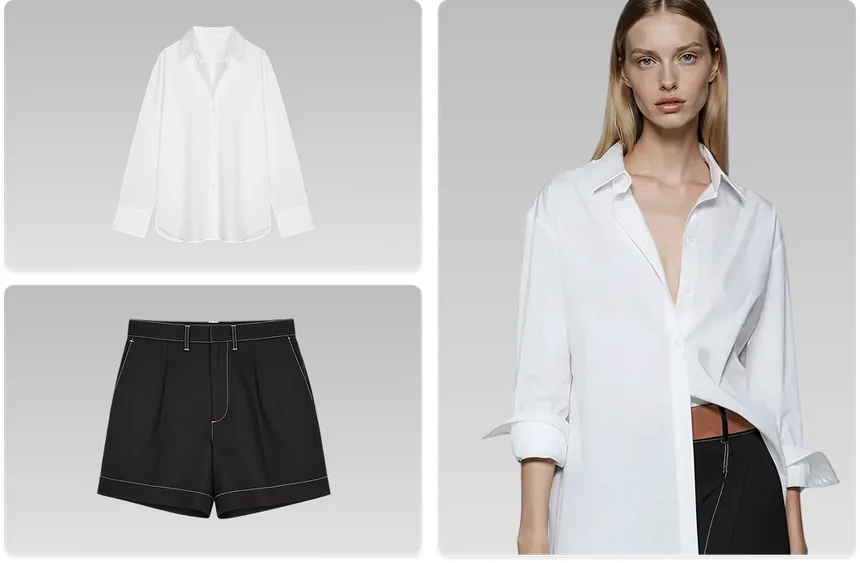
Send your product photos
Flat, on a hanger, or on a mannequin. Whatever your supplier already gave you works.
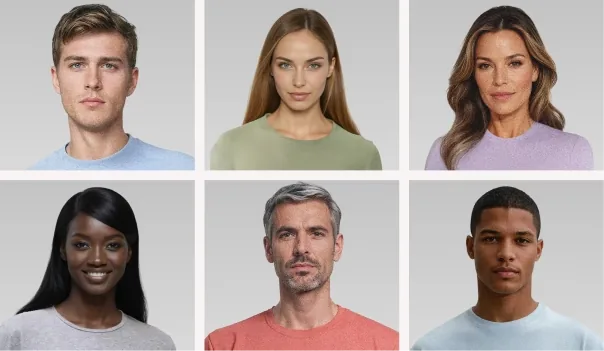
Choose your models
Pick faces and body types that match your customers, and keep them consistent across the whole catalogue.
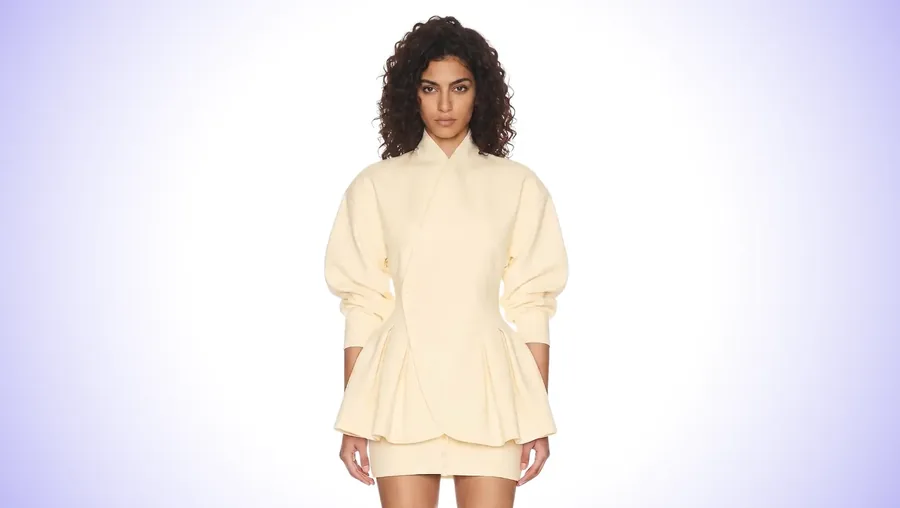
Get photorealistic results
Real draping, real shadows, real fabric texture, sized and cropped for your product pages.
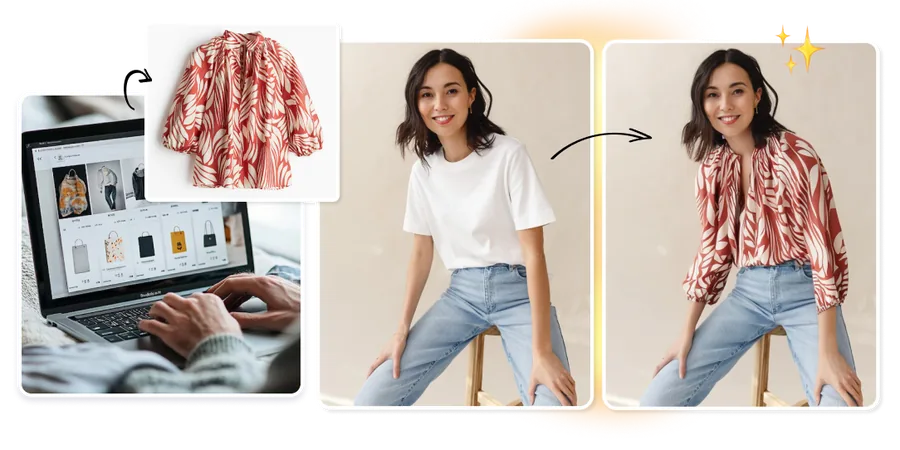
Publish, and let them try
Images go onto your store, and the try-on button lets shoppers see the garment on themselves.
Live demo
Try it on something right now
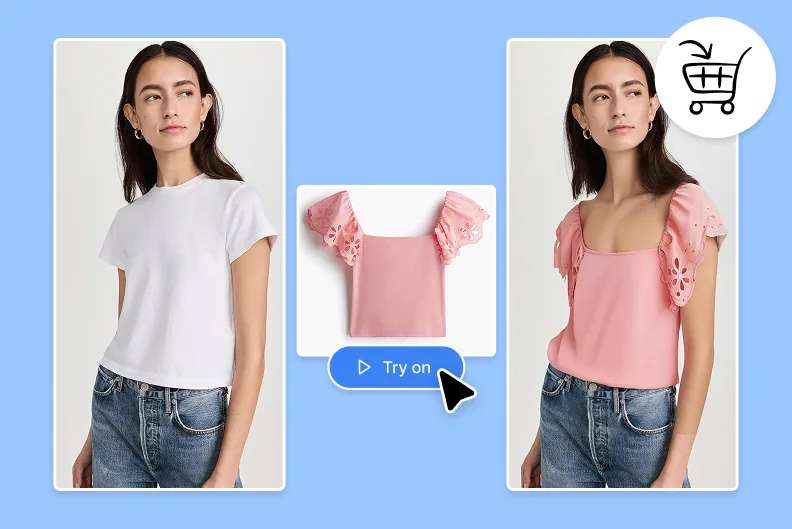
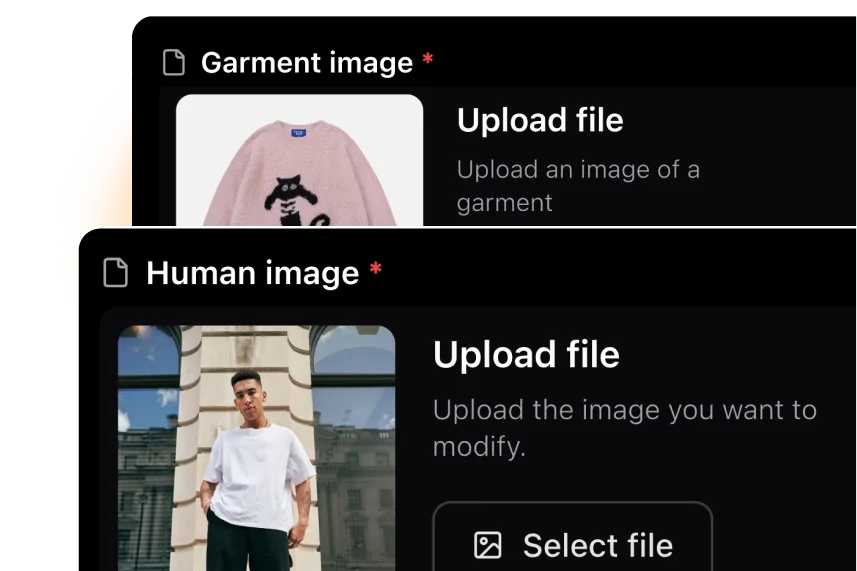
The flow is deliberately simple: a person on the left, a garment next to it, the result on the right.
On the left you upload the image of a person (maybe you) and next to it the garment you want to put on. The result appears on the right.
Pick your photo, then the garment. A plain single-colour background on the garment gives a noticeably better result.
Wait a few seconds and you have an image of the person wearing the garment, ready to download. No Photoshop round trip.
The person
The garment
The result
then generate.
Demo mode. Showing prepared results so this works without a connection.
The comparison
AI try-on against traditional product photos
The difference isn't image quality. It's whose body the shopper is looking at.
The shopper does the imagining
- One model, in fixed poses and fixed lighting
- Shoppers must picture the garment on their own body type, skin tone and proportions
- That gap becomes hesitation, and hesitation becomes an abandoned cart
- Whatever does sell comes back more often
The shopper sees themselves
- They upload their own photo and get a realistic preview
- Fit, drape, texture and shadows, on their body
- Guesswork is replaced with personalisation
- More confident decisions, better conversion, fewer returns
Advantages
What it changes for your store
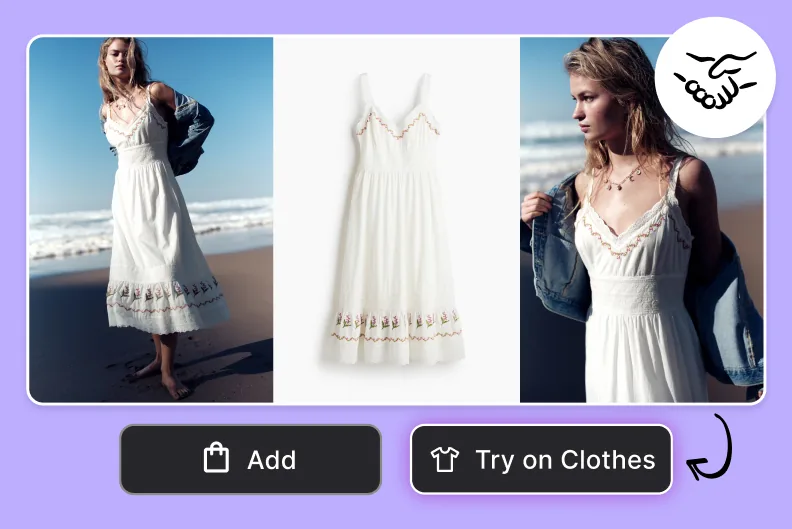
Confident purchase decisions
Customers visualise how clothes will look on their own body shape and skin tone before buying. Confidence goes up, purchase hesitation goes down, and the whole shopping experience improves.

Fewer returns and exchanges
Realistic garment simulation shows how clothing will actually fit, including fabric behaviour, wrinkles and stretch. Better choices up front means fewer costly returns for the business.
Better shopping experiences
Recommendations tailored to body type, ethnicity and style preference. A more engaging, more personal experience is the kind customers come back to.
Virtual try-on
Your customer, wearing it, before they order
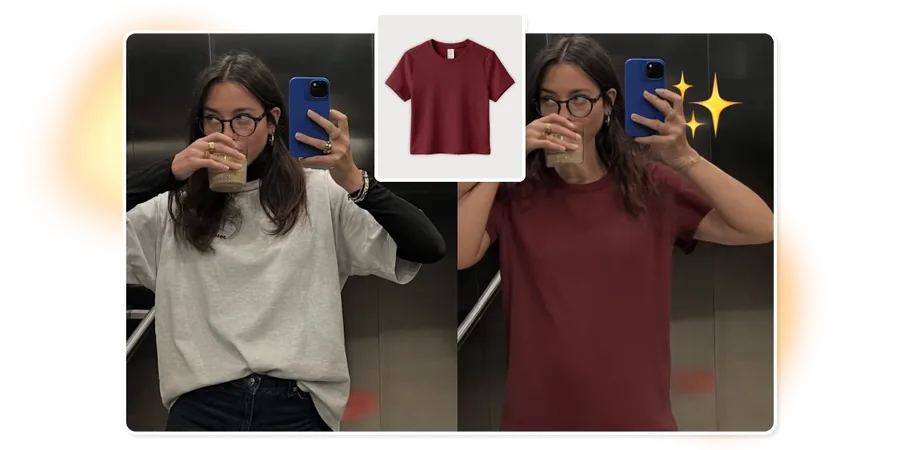
One button on the product page you already have. They upload a photo, even a mirror selfie, and see the garment on their own body.
It runs in the browser they already have open. No app, no account, no friction at the exact moment they were about to buy.
A mirror selfie taken in a lift works. No studio lighting, no plain backdrop, no instructions your customer has to follow.
Generated on-model images belong to you: product pages, catalogue, WhatsApp, Instagram, wherever you sell.
Who it's for
Built for how you actually sell
The maths changes depending on your catalogue. Here's where it tends to pay for itself fastest.
Bridal & occasion wear
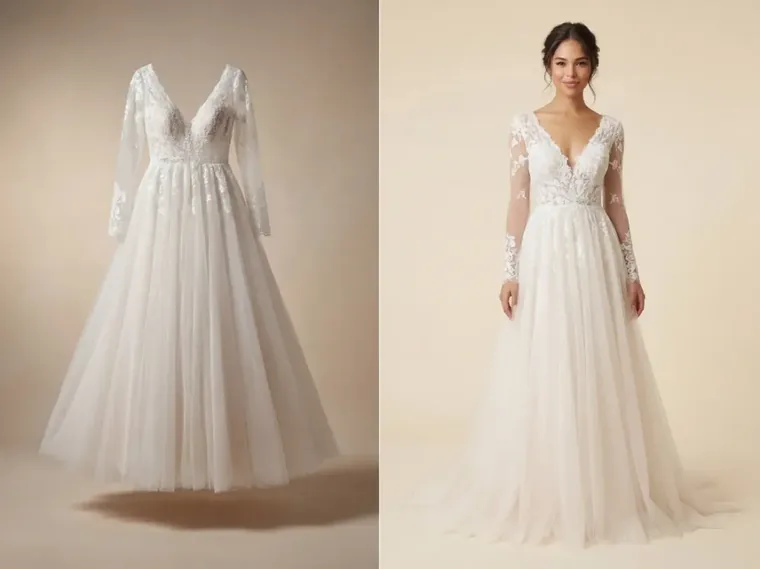
High value, low volume, and almost impossible to photograph on a model for every size and colourway.
- Show every colourway without re-shooting
- Let a bride see the silhouette before she travels in
Custom & made-to-order
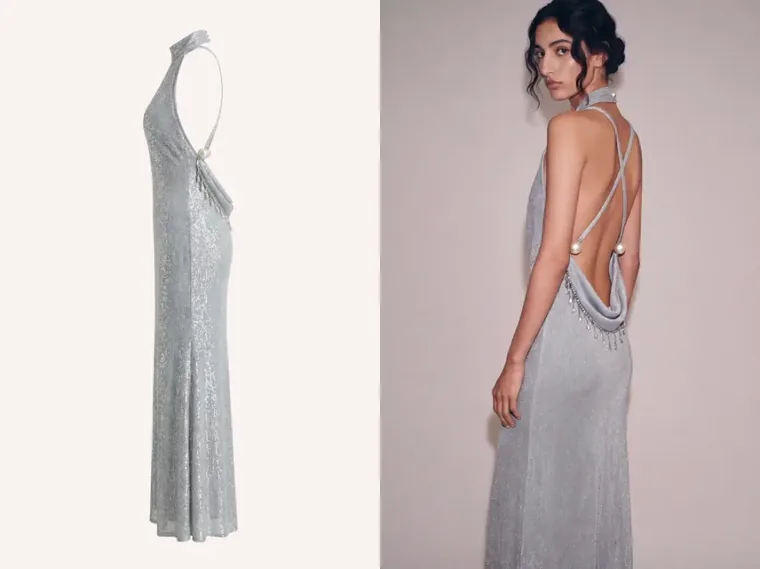
You can't photograph a garment that doesn't exist yet. Generate the on-model image from the design instead.
- Sell the piece before you cut the fabric
- Show fabric and drape options side by side
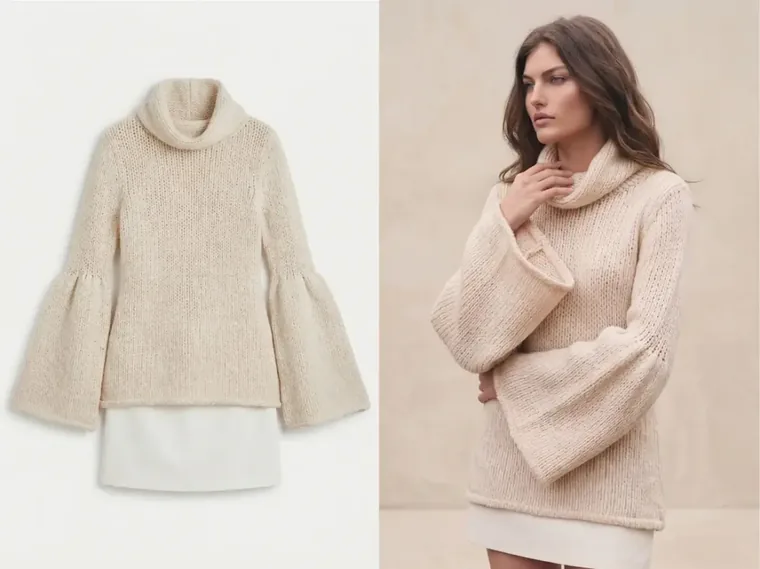
E-commerce & marketplaces
Hundreds of new SKUs a month, each needing the model imagery marketplace listings demand.
- Turn a supplier flat lay into a listing the same day
- Consistent models across the whole catalogue
Your numbers
What's actually on the table each month
Put in what you really do. Every assumption is a slider. If you think a number is optimistic, drag it down and see what's left.
These last two are estimates, not promises. Nobody can know them for your shop in advance. They start deliberately low. Move them to whatever you'd actually believe.
Returns are valued at the margin and logistics lost on a returned order, not the full order value. We quote per catalogue once we've generated your free sample, so you can weigh a real number against this one rather than a guess.
Questions we get
What brands ask first
Do my customers need to install anything?
No. It runs in the browser they're already using. They tap the button, pick a photo from their phone, and the result appears on the same page.
What happens to the customer's photo?
It's used to generate their try-on and then deleted. We don't keep customer photos and we don't use them to train anything, and we'll put that in the contract in writing.
What makes a good garment photo?
A plain single-colour background gives the best result, and a flat lay or hanger shot both work. Most supplier photos are already fine. Send us ten and we'll tell you honestly whether yours are.
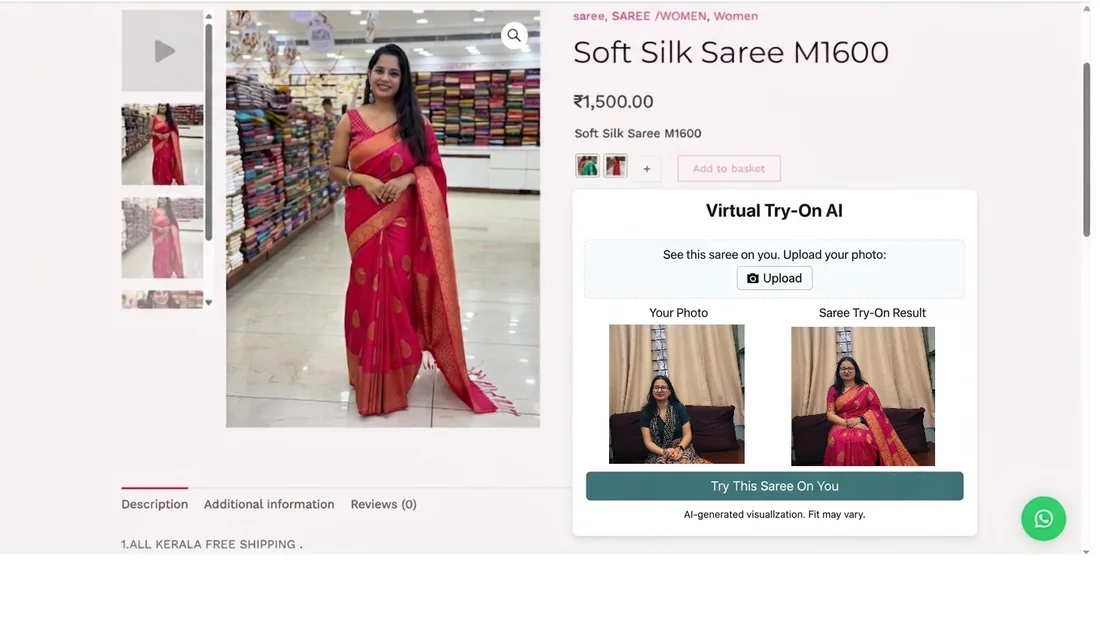
Does it work for sarees and traditional wear?
Kurtas, shirts, tops, dresses and gowns are the strongest. Heavily draped garments like sarees work best when we generate the on-model catalogue images rather than relying on a customer selfie. We'll test your actual stock before you commit to anything.
Which AI model is behind this?
We run a mix of licensed and self-hosted image models and pick per garment type, based on what gives the best result on that fabric. Happy to go through the specifics, including where your images are processed, under NDA once we're talking seriously.
How is it priced?
It depends on catalogue size and how much try-on traffic you get, so we quote after we've seen your stock. The first ten garments are generated free, and there's no commitment until you've seen them.
Start for free
Send ten garments. Get ten models back.
Free, no commitment. Your own stock, so you can judge the quality on the garments you actually sell. Message us on WhatsApp with a few product photos and we'll send the on-model images back.
We reply within a working day, usually much sooner on WhatsApp. Send product photos straight into the chat. No forms, no sign-up.